


This is a guest post by Jurgen Hendriksson, webmaster of canon60dreview.org; featuring great Canon 60D reviews and information.
The internet holds a vast collection of free, quality images, but it is often difficult to find them. If you don’t know where and how to look for them, finding that perfect picture can take hours of your valuable time that could surely be spent on more important things. This is exactly why many webmaster and bloggers end up getting subscriptions at stock photo agencies, which can be quite expensive. One of the leading stock photo websites, Shutterstock.com, charges $10.00 per high-resolution picture! That’s a very big investment for an average webmaster or blogger and it can easily be avoided.
So why is it often so time-consuming to find that perfect, free, high quality image? The answer to that question is low quality images. The vast amount of free, low quality images greatly outnumbers the amount of high quality images. This is because the majority of free images on the web were shot by amateur photographers. Browsing through the search results on a website like Flickr.com, you will come across tons of low-quality, poorly-shot, dull, blurred and often seemingly pointless pictures that make you wonder why anyone would ever want to share them online (or offline).
Fortunately, there are also lots of advanced and even professional photographers who freely share their work with others. In order to exclusively browse through images made by such photographers, one must filter out all the clutter. Let me show you how to do this for two of the major free picture sources, which are really the only ones you will ever need.
In most cases, Flickr has proven to be the best source for free, quality images. Flickr’s Creative Commons image collection currently holds over 170 million images. There are many ways to filter out quality images in this collection. Let me show you the two easiest ways.
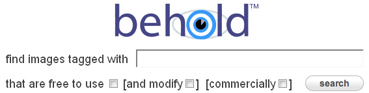
1. Search using Behold.cc: Behold is a fantastic image search tool that “attempts to catalogue CC images with quality comparable to that of professional image archives such as Getty Images or Corbis, by using the social structure of Flickr and image content analysis.”
2. Search using Pixel-Peeper.com: Pixel Peeper allows you to search Flickr’s images by camera or lens type. Simply filter your search by selecting high-end camera or lens models and it will only return images made by advanced and professional photographers who actually own such expensive equipment. (Flickr also has an in-house feature for this, but Pixel-Peeper does a much better job at showing quality images.)

Google Images is a powerful source of free pictures because its search results show images from many different websites. In July 2009, Google Images launched a new feature that allows searchers to filter results by Creative Commons-licensed or Public Domain images only. Again, there are several ways to separate the quality images from the giant pile of junk.
1. Go to Advanced Image Search (next to the regular search button) and first make sure that you change the usage right (last drop-down box at the bottom) from “not filtered by license” to a free image license that fits your needs. Although with Google Images it is not possible to filter out all low-quality images, you can certainly get rid of a lot of them. You can use several of the advanced search features to accomplish this. Which is the best feature or combination of features often depends on your search query. First, you can select a minimum picture size or MB (mega-pixel) resolution. Typically, the higher the resolution means the better the equipment used, which in turn typically means the better the photographer who shot the picture is. You can also select a filetype. JPG and PNG correspond to quality far more often than the other filetypes do. Additionally, you can search only the images of a specific website. This can come in handy when you find a website that offers free, quality images that are related your your website or blog topic.

2. Search using Google Image Ripper: This search tool also uses the concept of returning images of a certain size, but instead of showing thumbnails which make it difficult to determine whether an image is a quality image or not, Google Image Ripper’s search result immediately show the original sizes of the images. Though it doesn’t do a fantastic job at filtering out low quality images, it does speed up the process of locating the high quality pictures you want.

I hope that these methods will save you a lot of time and perhaps money when you’re trying to find the perfect pictures to complement your online projects.
Thanks for reading!
Here’s a quick guide to Creative Commons-licensed and Public Domain images:
Creative Commons licensed images may only be used under certain conditions, the most important of which is to give credit to the photographer who originally took the picture. Before using a Creative Commons licensed picture, be sure to read its corresponding license. More information on Creative Commons licenses can be found here: http://creativecommons.org/licenses/.
Public Domain images may be used freely without any restrictions. More information on Public Domain material can be found here: http://wiki.creativecommons.org/Public_domain.
Pixelhead said:
July 25, 2011, 11:42 am
Cool post, I am always looking for free images on Flickr, so the two sites you listed will be a big help..