Back
How can I add a new page?To add a new page please switch toolbar into the "Pages" tab near the top of the page and click the "New Page" button. 
The new page dialog will be displayed. 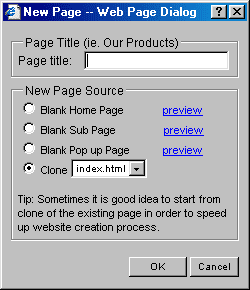
At the new page dialog give your new page a title, and select the source. It can be based it on a blank homepage, blank sub page or even clone one of the pages you have already created, thus an existing page can be reused, such as navigation links or common titles to save time. | 








